SwiftUI GeometryReader
자신의 크기와 좌표 공간을 기반으로 콘텐츠를 정의하는 컨테이너 뷰.
이 자체가 뷰라서 이를 기반으로 좌표 정보를 얻을 수 있음.

(링크)
https://developer.apple.com/documentation/swiftui/geometryreader
GeometryReader | Apple Developer Documentation
A container view that defines its content as a function of its own size and coordinate space.
developer.apple.com
샘플 코드
import SwiftUI

enum Index {
    case one, two, three
}

struct MyGeometryReaderVStack : View {
    @State var index: Index = .one

    var body: some View {
        GeometryReader { geometry in
            VStack {
                Button(action: {
                    withAnimation {
                        self.index = .one
                    }
                }) {
                    Text("1")
                       .font(.largeTitle)
                       .fontWeight(.black)
                       .frame(width: 100, height: geometry.size.height / 3)
                       .padding(.horizontal, self.index == .one ? 50 : 0)
                       .foregroundColor(Color.white)
                       .background(Color.red)
                }

                Button(action: {
                    withAnimation {
                        self.index = .two
                    }
                }) {
                    // 버튼의 생김새
                    Text("2")
                       .font(.largeTitle)
                       .fontWeight(.black)
                       .frame(width: 100, height: geometry.size.height / 3)
                       .padding(.horizontal, self.index == .two ? 50 : 0)
                       .foregroundColor(Color.white)
                       .background(Color.blue)
                }

                Button(action: {
                     withAnimation {
                       self.index = .three
                    }

                }) {
                    // 버튼의 생김새
                    Text("3")
                       .font(.largeTitle)
                       .fontWeight(.black)
                       .frame(width: 100, height: geometry.size.height / 3)
                       .padding(.horizontal, self.index == .three ? 50 : 0)
                       .foregroundColor(Color.white)
                    .   background(Color.green)
                }
            }
        }
        .background(Color.yellow)
        .edgesIgnoringSafeArea(.all)
    }
}
스크린샷

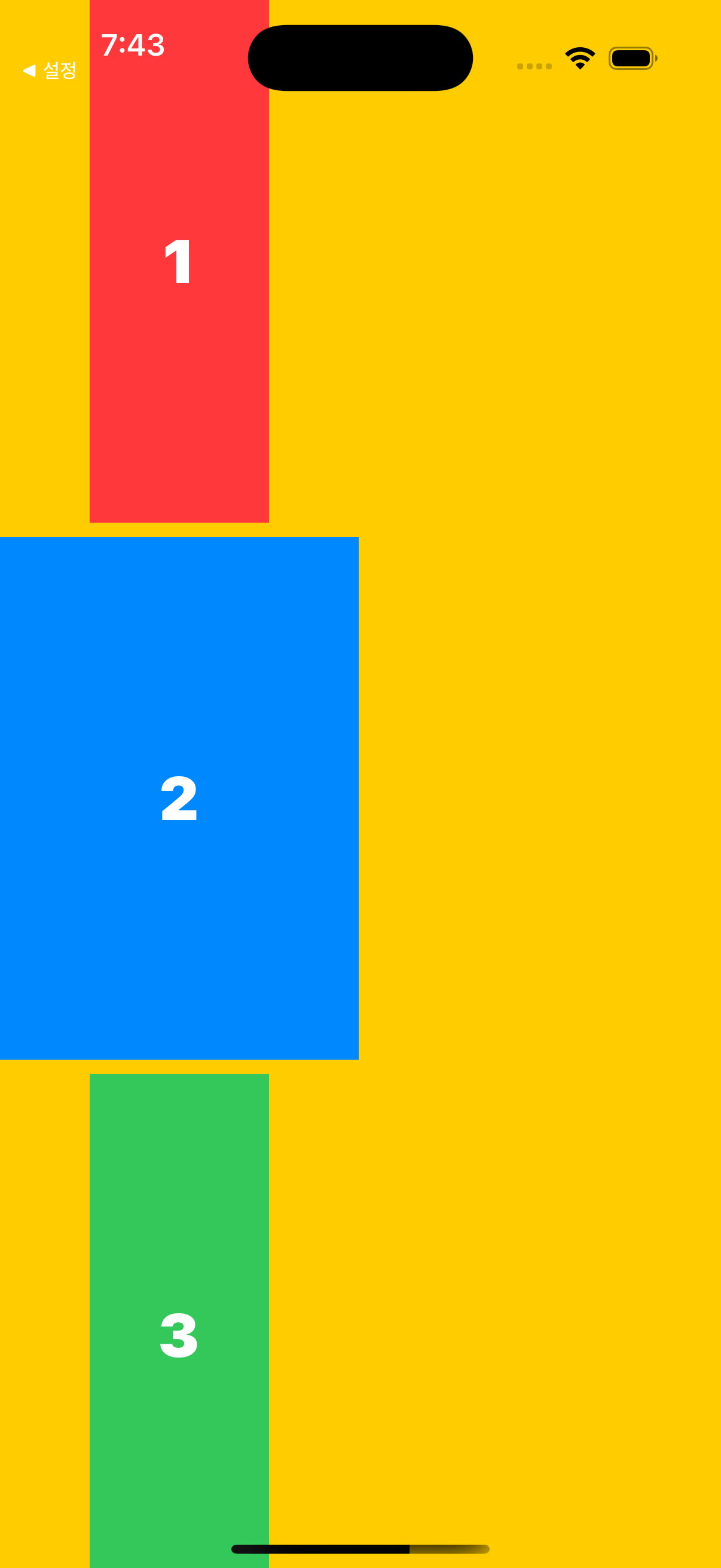

GeometryProxy position
이건 왜 사용하냐면 절대적인 포지션을 잡기 위함이다.
> GeometryReader는 "뷰의 좌표에 이름을 정해서 다른 코드에서 작동하도록 하는 메서드"
> GeometryProxy는 "컨테이너 뷰의 좌표나 크기를 접근할 수 있는 것"
즉, GeometryReader는 기하학적인 정보를 가지고 있는 컨테이너 뷰 자체이고 해당 정보를 얻어내기 위해선 GeometrryProxy를 이용.
특히 아래 예제에서는 GemetryPorxy를 CGPoint로 바꾸는 기법에 대해서 설명
import SwiftUI

enum Index {
    case one, two, three
}

struct MyGeometryReaderVStack : View {

    @State private var index : Index = .one
    /// GeometryProxy를 CGPoint로 변환하는 클로저
    let centerPosition : (GeometryProxy) -> CGPoint = { proxy in
        return CGPoint(x: proxy.frame(in: .local).midX,
                       y: proxy.frame(in: .local).midY)
    }

    var body: some View {
        GeometryReader { proxy in
            VStack {
                Button(action: {
                    withAnimation {
                        self.index = .one
                    }
                }) {
                    Text("1")
                        .font(.largeTitle)
                        .fontWeight(.black)
                        .frame(width: 100, height: proxy.size.height / 3)
                        .padding(.horizontal, self.index == .one ? 50 : 0)
                        .foregroundColor(Color.white)
                        .background(Color.red)
                }
            }
            .position(centerPosition(proxy))
        }
        .background(Color.yellow)
        .edgesIgnoringSafeArea(.all)
    }
}
스크린샷
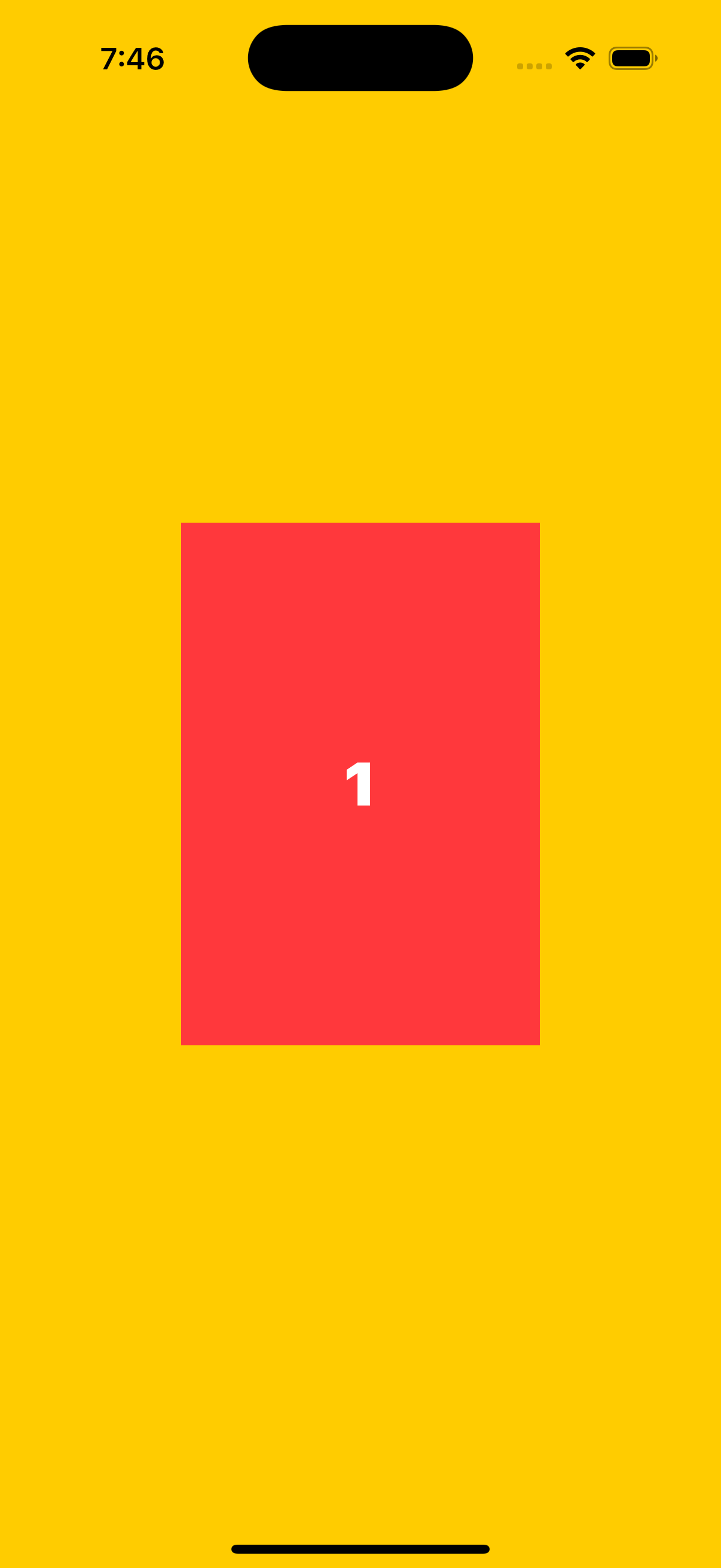
'Apple > SwiftUI, Combine' 카테고리의 다른 글
| SwiftUI @State @Binding @EnvironmentObject (0) | 2022.05.19 |
|---|---|
| SwiftUI TabView (Custom TabView) (0) | 2022.05.19 |
| SwiftUI NavigationView (0) | 2022.05.18 |
| SwiftUI List (UITableView, UICollectionView) (0) | 2022.05.18 |
| SwiftUI Alert (0) | 2022.05.18 |