SwiftUI Alert
iOS 14를 기준으로 SwiftUI를 사용하고 있는데, Alert를 사용하는 방법에 대해서 간단히 알아보자.
서비스에서는 대부분 커스텀한 View 혹은 ViewController 기반으로 경우에 따라서는 UIWindow와 windowLevel을 활용하는데, 일단 SwiftUI 전반적인 개념을 훑고 지나가자
샘플 코드
매우 간단하게 사용해보자
import SwiftUI

struct contentView: View {
    /// @State는 프로퍼티래퍼로 class가 아닌 struct의 View 구조에서 상태 변화를 관찰하기 위함.
    @State var shouldShowAlert: Bool = false

    var body: some View {
        Button(
            action: {
                self.shouldShowAlert = true
            }) {
                Text("버튼에 들어갈 TEXT")
                    .fontWeight(.bold)
                    .foregroundColor(.white)
                    .padding()
                    .frame(width: 80)
                    .background(Color.blue)
                    .cornerRadius(20)
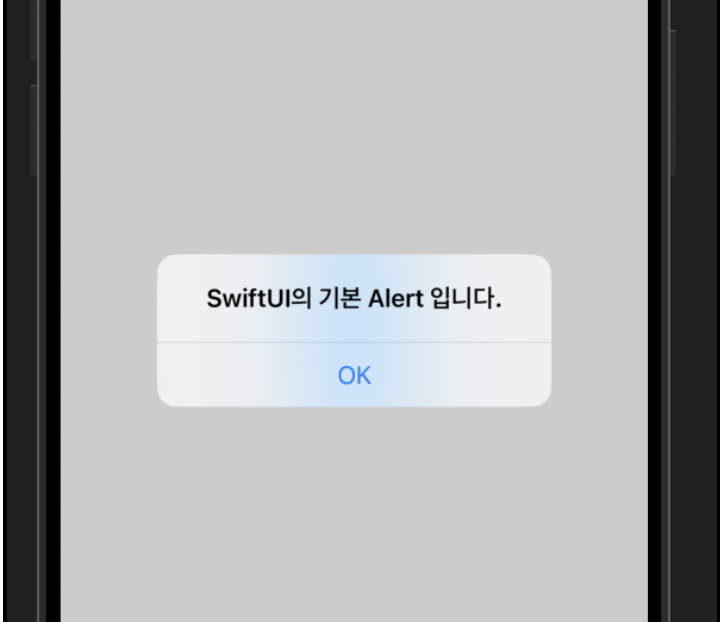
            }.alert(isPresented: $shouldShowAlert) { // 바인딩은 `$` 기호로 나타낸다.
                Alert(title: Text("SwiftUI의 기본 Alert 입니다."))
            }
    }
}
'Apple > SwiftUI, Combine' 카테고리의 다른 글
| SwiftUI NavigationView (0) | 2022.05.18 |
|---|---|
| SwiftUI List (UITableView, UICollectionView) (0) | 2022.05.18 |
| SwiftUI VStack, HStack, ZStack (0) | 2022.05.18 |
| SwiftUI Image 공부하면서 실제 서비스에 적용하기 위해 생각할 것들 (0) | 2022.05.18 |
| SwiftUI로 만든 Xcode Project에 Info.plist가 없는 경우 (0) | 2022.02.23 |